CDlərə yazdığınız proqramlara avtomatik başlayan interaktiv menyular və təqdimatlar əlavə etmək üçün mükəmməl bir proqram.
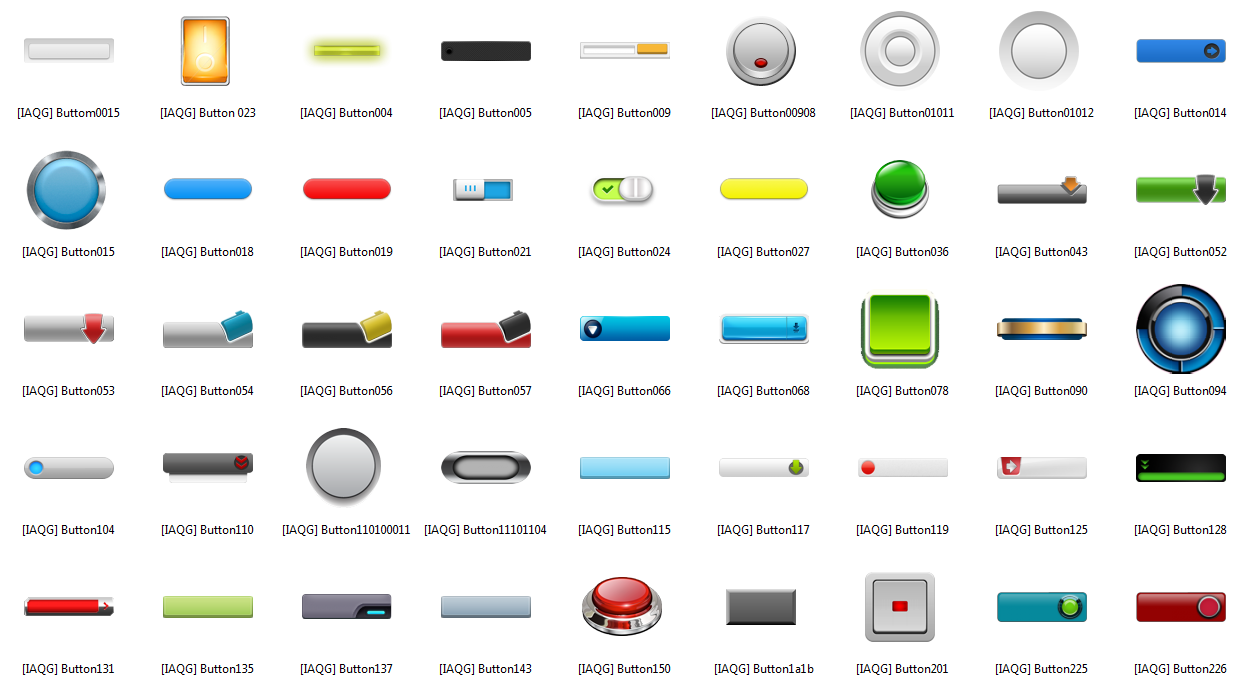
Hazırladığı menyuların xüsusiyyətləri:-İşlədilə bilər düymələr
-Səs xüsusiyyətləri
-Veb linkləri
-Fayl yazdırma, göstərmə
-Çoxlu səhifələr meydana gətirə bilmə
Bunun yanında, video dəstəyi, hazır qalereyadan seçki edə bilmə, çoxlu rəng, yazı tipləri, səs dəstəyi, tam ekran kipi, 1000 səhifəyə qədər menyu vs. xüsusiyyətlər proqramın digər gözə dəyən xüsusiyyətləridir. Professional menyu hazırlamaq istəyənlər qaçırmasın.
Russian:AutoPlay Media Studio - мощный визуальный пакет для быстрого и качественного создания меню автозапуска, интерактивных презентаций, мультимедийных приложений и прочего программного обеспечения.
Программа создаст все необходимые файлы для автозапуска и его графическую оболочку. Пользователю остаётся ли?ь записать готовый проект на информационный носитель. Даже не имея опыта программирования, вы сможете создать ва?е собственное ПО - сопоставимое по свойствам и эффективности с ПО, созданным специалистами при помощи C++/Java. AutoPlay Media Studio - базовая платформа для разработки приложений, предлагающая ?ирокий выбор опций и поддержку для боль?инства популярных технологий. Вы словно приобретаете собственного разработчика ПО, работающего 24 часа в сутки. Данная утилита имеет интуитивно понятный интерфейс и легка в освоении.
Ключевые особенности:
• В программу входят уже готовые ?аблоны для оформления меню с разнообразными кнопками для запуска программ, проигрывания звуков, печати файлов, открытия ?нтернет-сайтов.
• Вы также сможете без труда оформить свой проект с помощью любого контента на ва? выбор - музыки, видео, flash-анимации, текста.
• Проекты, созданные с помощью AutoPlay Media Studio, ни в чем не уступают профессиональным продуктам, разработанным на C++/Java.
• Приложение, созданное с помощью AutoPlay Media Studio, на заключительном этапе будет представлено в виде объектной модели. Эта модель состоит из группы отдельных страниц, наподобие того, как это реализовано на ?нтернет-сайтах. На этих страницах можно размещать любые объекты (графику, текст, видео, Flash, HTML и пр.).
• Любому элементу проекта, будь то объект или страница, можно назначить определенное действие. Программа предоставляет сотни различных действий, которые можно связать с объектами.
• Рас?ирить возможности AutoPlay Media Studio можно также при помощи дополнительных модулей - плагинов. С их помощью можно автоматизировать некоторые задания, которые вы выполняете в программе чаще всего. Например, можно быстро создавать анимированные меню, дерево каталогов, базу данных, а также управлять ими.
• Возможность создания окон автозапуска произвольной формы с использованием масок прозрачности. В качестве такой маски могут выступать графические файлы в форматах .jpg, .bmp, .png.
• Возможность записи CD-R (CD-RW) прямо из программы. Готовый проект может быть представлен в виде самораспаковывающегося архива или сохранен отдельной папкой на жестком диске.
• Встроенная проверка орфографии. Эта опция работает с объектами Label, Paragraph и Button. Полная версия программы содержит боль?ое количество подключаемых словарей, с помощью которых AutoPlay Media Studio делает проверку орфографии во время набора текста.
• Пользователь AutoPlay Media Studio дополнительно получает доступ к видео-презентации, профессиональным элементам контента, online-форуму, круглосуточной тех.поддержке и многим другим сервисам.
English:Are you looking for a faster, easier way to create software applications for the Microsoft Windows platform? Congratulations! Your search is over…
AutoPlay Media Studio 8 delivers on the promise of rapid application development. What would normally take days or weeks to build using traditional software development tools (C, C++, Java, Visual Basic) can now be created in record time – by just about anyone. And not just simple little scripts and forms. We’re talking about full-featured interactive multimedia applications complete with web interaction, database connectivity, video playback and much more.
Now that you’ve found us, grab a cup of coffee and let’s get acquainted. You’ll more than make up the time later.
The AutoPlay Media Studio Legacy…
You’re probably already familiar with AutoPlay Media Studio. It’s been the industry standard tool for creating autorun CD/DVD/USB menus for years. (Heck, we invented the category!) All told, hundreds of millions of discs have been distributed thanks to AutoPlay Media Studio (and its grandfather, AutoPlay Menu Studio).
What you may not know is that AutoPlay Media Studio has become a secret weapon for thousands of savvy software developers, consultants and IT professionals. Realizing its unique rapid-programming potential, developers started using it to prototype and build full-scale graphically rich multimedia software applications. Once it became apparent just how much time and money they could save, there was no turning back.
Which brings us to where we are now – the release of the most significant version of AutoPlay Media Studio yet. With version 8, our goal was to improve everything software developers loved about AutoPlay Media Studio, while pushing it fully into the realm of rapid application development. We think you’re going to be extremely impressed.
Create Software Faster with AutoPlay Media Studio 8
Of course, AutoPlay Media Studio is still the best tool out there for making autorun/autoplay menus for CD/DVD-ROM, USB drives and now BLU-RAY data discs. However, with the release of AutoPlay Media Studio 8, there’s a whole new world of possibilities.
AutoPlay Media Studio 8 is a complete visual software-programming environment. Use it to rapidly create full-featured software applications for use on Microsoft’s Windows operating system.
AutoPlay Media Studio’s visual approach to software creation makes it easy for you to create Windows software programs, even if you have absolutely no computer programming experience. By combining our award-winning WYSIWYG (“what you see is what you get”) drag-and-drop development environment with a powerful (yet really easy-to-use) scripting language, AutoPlay Media Studio gives you the power to quickly create just about any software application you can dream up.
Simply drag and drop interactive objects and controls onto pages and dialog boxes, arranging their layout with your mouse. Then, adding interactivity is a snap. With a few mouse clicks you can add buttons to navigate between pages, start and stop videos, display dialog boxes and input forms, run programs, open documents, send emails, view websites, download files and so much more. The only limit is your imagination!
There’s no faster or better software development tool for combining multimedia elements (videos, images, sound effects, music and flash animations) with advanced business logic, database manipulation, text parsing, web interaction, document display (PDF, PowerPoint, Excel, Word), data collection and graphically-rich data visualization.
You’ll turn to AutoPlay Media Studio 8 over and over again to quickly create full-featured software applications. It’s destined to become an indispensable part of your software development toolbox.
A Complete Software Development System
AutoPlay Media Studio 8 is the result of nearly 20 years of experience in creating professional software development tools. With over 20,000 software developers using our products around the world, you are definitely in good company.
THOUSANDS OF USES
Create professional autorun CD/DVD’s and thousands of other multimedia software applications. Perfect for database programming, business application development, software prototyping, training applications, network utilities, proof of concept, software test automation and agile software development projects.
MAXIMUM COMPATIBILITY
The applications you create using AutoPlay Media Studio 8 are designed to work on the Microsoft Windows operating system. This includes Windows XP, Windows Vista and Windows 7.
VISUAL DEVELOPMENT
Auto Play Media Studio 8 is designed to make developing professional applications as easy as possible, even with no previous programming experience. Drag and drop your content onto a page and then double-click to edit. It’s incredibly simple to do. Additionally, the newly revamped Project Explorer organizes everything for you (pages, dialogs, objects and events), giving you an overview of your entire project in one place.
INTERACTIVE OBJECTS
There are nearly two dozen interactive object types to choose from such as buttons, videos, web/HTML, Flash, QuickTime, PDF, checkboxes, radio buttons, edit fields, rich text, slideshows, data grids, menu bars and tree controls. Plus, add additional functionality with Object plugins created by Indigo Rose Software and other 3rd party developers.
EASY TO USE SCRIPTING LANGUAGE
Includes more than 865 high level actions with everything from XML parsing and database queries to web server script interaction, file transfers and much more. Plus, easily expand the language with drop-in Action plugins and Lua modules. The professional script editor features color syntax highlighting, code completion, function highlighting, as-you-type action prototypes, Ctrl+Space function listings, and even context-sensitive help.
ACTION WIZARD
You don’t have to be a wizard to create powerful software applications – we’ve built the wizard right into the software! Choose the action you want to use, fill in the requested information fields and the wizard writes the script for you.
PROJECT TEMPLATES
Choose from a variety of ready-to-use projects and then modify them to fit your needs. We include examples of software installer menus, electronic business cards, marketing brochures and many others.
SUPERIOR MULTIMEDIA CAPABILITIES
AutoPlay Media Studio excels at combining diverse media types into a single application. There are objects like QuickTime, Flash, Slideshow and Video among them. Even the audio handling features alone can save you weeks of work. For example, creating voiceovers on top of background music tracks are a snap. In fact, you can play up to eight channels of audio simultaneously with automatic selection of either hardware or software mixing.
MULTIPLE PUBLISHING OPTIONS
Distributing your finished project is a snap. Whether you’d like to create a single-file executable for distribution by web download or email, or burn it directly to CD-R/CD-RW, DVD±R/DVD±RW or Blu-Ray media, it just takes a few clicks. Simply insert a blank disc and the wizard will burn your project for you.
PROGRAMMING COMMUNITY
AutoPlay Media Studio developers are a friendly bunch of people. Join our online community forums where you’ll be able to share ideas, learn tips and tricks, and discover hundreds of new uses for this empowering tool.


Sistem Tələbləri:
Minimum
- Windows 2000, Windows XP, Windows Vista, Windows 7 or greater;
- Pentium 4 or greater processor (or equivalent);
- 256 MB RAM or greater;
- 1024x768 display resolution with 16-bit or higher color depth;
- 100 MB of free hard disk space for installation;
- Mouse.
Run-time Application (Published Project)
Minimum
- Windows 95B;
- Pentium 120 MHz;
- 32 MB RAM.
Minimum for Video Object
- Windows 95B;
- Pentium 120 MHz;
- 32 MB RAM;
- DirectX 7 or greater;
- Internet Explorer 4.0 or newer.
Note: Due to a limitation in Windows NT 4.0, a video's audio track will only be heard if the AutoPlay Media Studio audio engine is disabled. You can disable the audio engine on Windows NT 4.0 by choosing Project > Settings from the menu, selecting the Advanced tab and checking the Disable Audio Engine option. For further information, see Disable Audio Engine.
Note: Projects that use the video object will only work on a Windows 95B system if it has a newer version of DirectX and Internet Explorer installed.
Note: Requirements may vary according to the needs of your project. For example, a faster system may be required to view large videos at high bitrates, or your project may require a specific version of the Flash player, or the presence of a specific video codec.
Minimum for Flash Object
- Macromedia Flash Player;
- Windows 95 OEM upgrade CD, Windows 98, Windows ME, Windows XP, Windows Vista, Windows 7;
- Internet Explorer 4.01 (or newer);
- Navigator 4.0.6;
- Netscape Communicator 6 (or newer);
- America Online (AOL) 7.0;
- RealPlayer.
Minimum for Web Object
The web object will only work if the Internet Explorer ActiveX control is installed on the user's system. It is compatible with version 4.01 or newer of the Internet Explorer control, which is installed with:
- Windows 98 (or newer);
- Internet Explorer 4 (or newer).
Rəsmi sayt: http://www.indigorose.com/products/autoplay-media-studio/
IndigoRose AutoPlay Media Studio 8 v8.0.1.1 + Crack
Yüklə // Download
Diqqət! Bu linki görmək üçün zəhmət olmasa qeydiyyatdan keçin.
IndigoRose AutoPlay Media Studio v8.0.1.0 Portable
Yüklə // Download
Diqqət! Bu linki görmək üçün zəhmət olmasa qeydiyyatdan keçin.
Xəbərləri: 1483
Şərhləri: 2075
Qeydiyyat: 2.11.2009
Administrator
bunun kimi avtoplay menyu hazirlayan program var deyin mene
elbette yoxdu
bunun icinde bilirsiz neler var neler eeeeeeeeeeeeeeeeeeeee